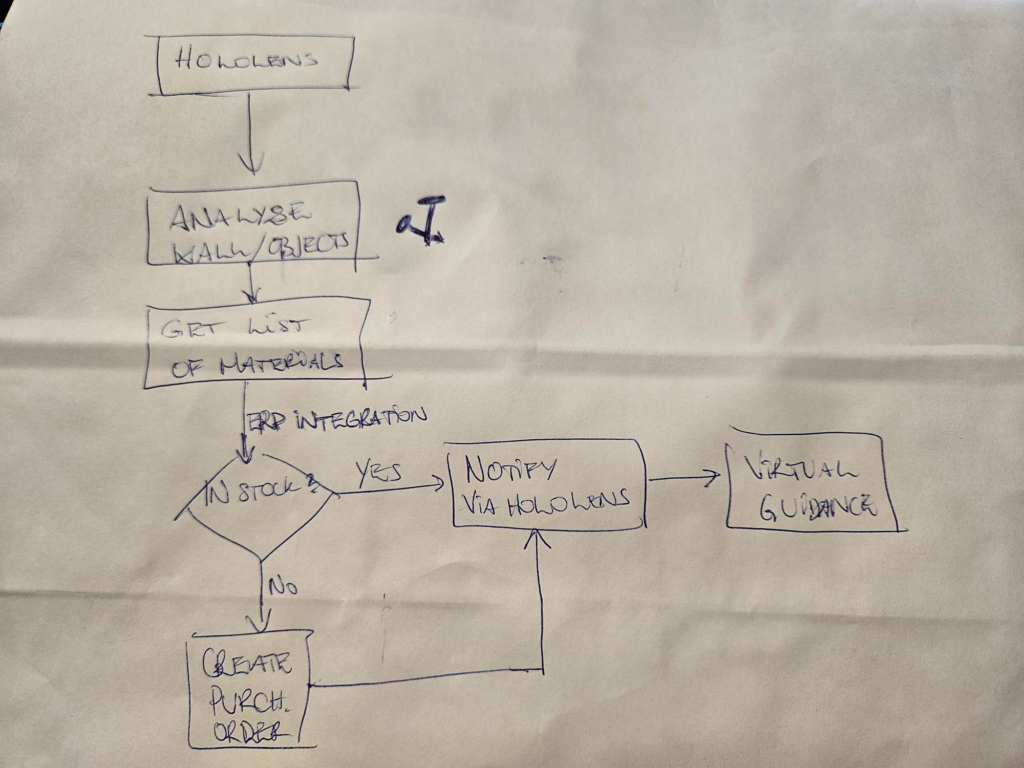
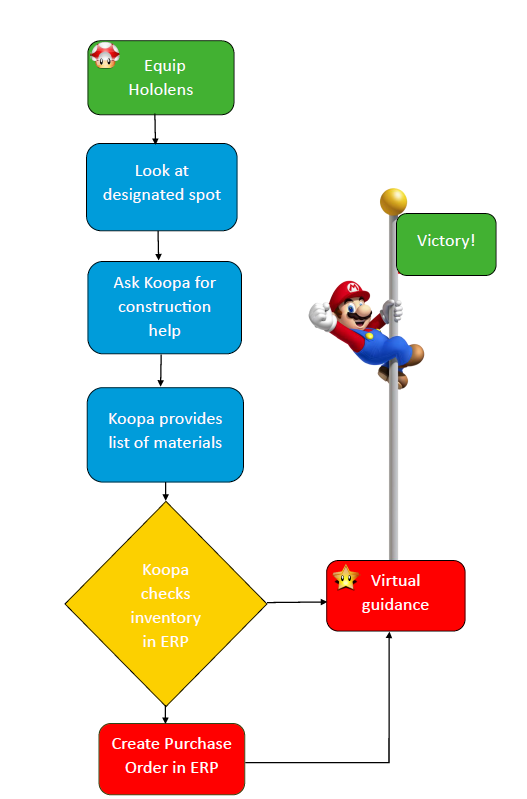
A little Introduction to our final delivery here at ACDC;

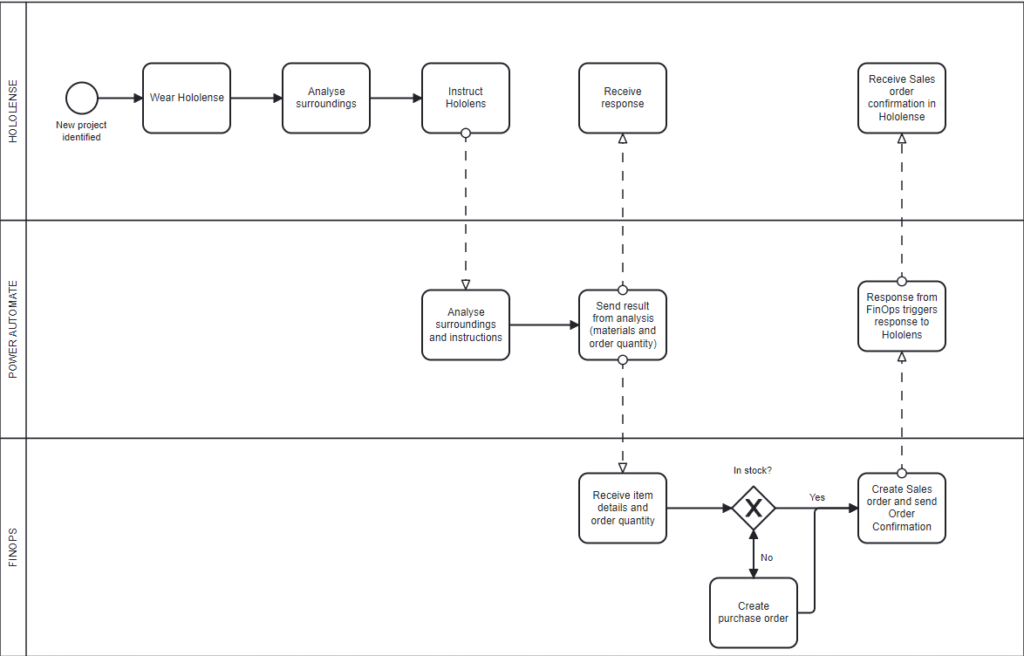
We have built an end-to-end production flow where business demand starts inside the enterprise stack, gets approved and signed digitally, becomes an ERP production order, and is then executed automatically by an AI bot that gathers materials and reports progress back in complete with real-time updates and dashboards.
Minecraft is our safe, visual execution layer; the real-world use case is deployable physical robots harvesting and performing tasks in mines, quarries, and remote locations

Our project mimics real life customer work that we have worked on with Rana Gurber. Where they are deploying a dog-bot that gathers data in the mines, increasing safety for workers.

The flow (start to end)
Before going through the categories, a brief description of the architectural flow is good to have for some context later

1) Approval + Signing turns intent into an approved transaction
A purchase requisition is created in Dynamics 365 and enters an Approval/Signing stage. When it hits that stage, a Power Automate flow triggers the OneFlow contract creation, adds participants, publishes it for signing, and listens for contract status updates. Once fully signed, the flow retrieves contract details and automatically creates the Purchase Order header + lines in Dynamics 365.

2) Purchase Order triggers a Production Order and the worker starts
Once the approved PO exists, it triggers creation of a Production Order in our very own Minecraft FO Module. The Production Order reads the Bill of Materials (BOM) and determines required resources. In our module, those requirements are already translated into Minecraft blocks/items.
3) Execution happens in Minecraft: mine, gather, craft, deliver, and report back
An AI-controlled NPC worker is spawned in the Minecraft world and executes the translated task list:
- mines required resources,
- gathers/harvests materials,
- crafts required items,
…..and sends the data to Power BI and our Canvas app Dashboard in Real time

4) Completion + status goes back to ERP (loop closed)
When the materials are ready, completion status is sent back so the Production Order can be updated/closed in F&O.
Boom, and you have automated production.
Now to the fun part;
Categories
Redstone Realm
We built a complete business process that begins where real work begins in internal systems. Approvals and contract signing are mechanisms that convert intention into trusted demand.
From there, Dynamics 365 Finance & Operations becomes the system of record for purchasing and production planning, and our downstream services treat it like the authoritative source, not just another data feed.

We deliver a real business solution for Minecraft server automation and management, integrating Microsoft Azure (Service Bus, Event Hub) and APIs. The experience is built around in-game automation (quest system + bot feedback), with an AI-autonomous bot that executes tasks while using self-preservation logic.
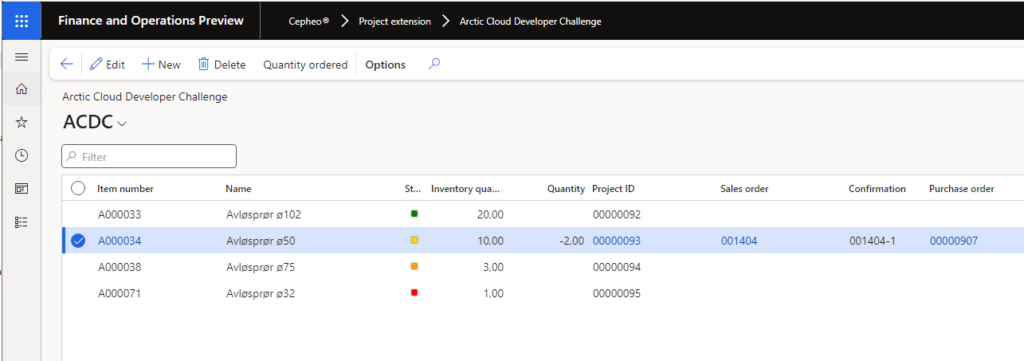
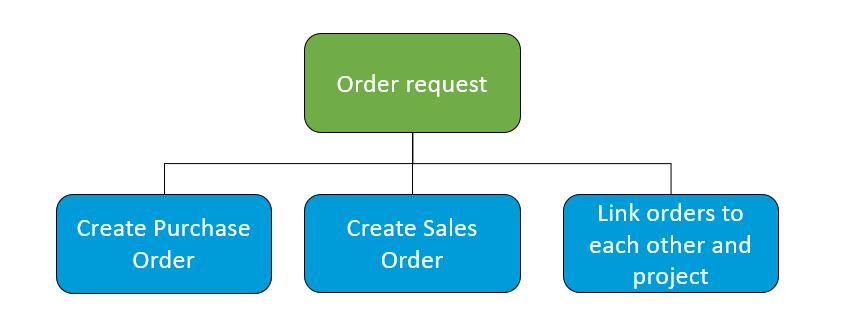
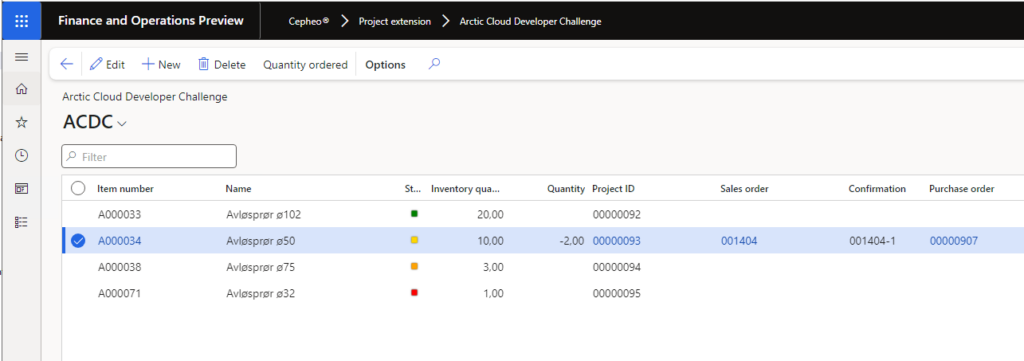
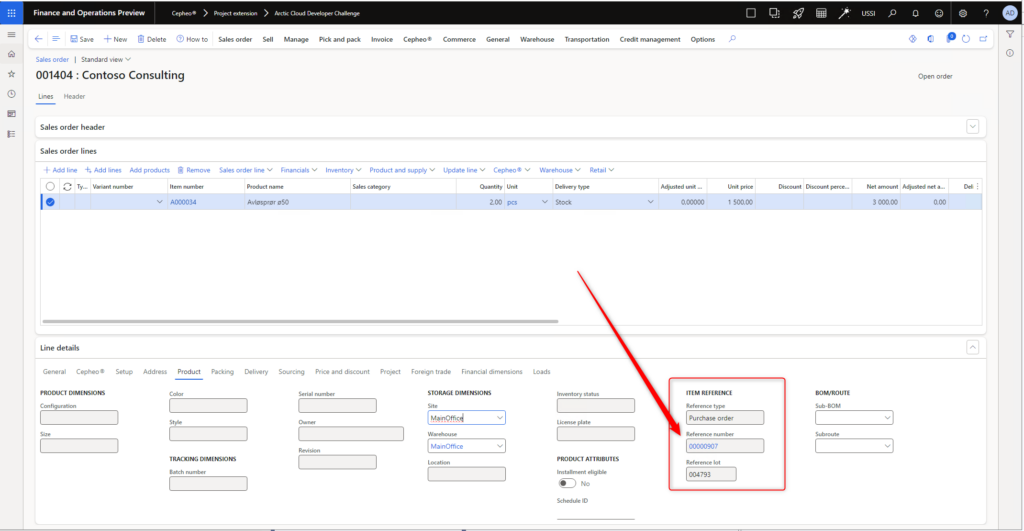
Finance & Operations overview and one-click ordering experience
Inside Dynamics 365 Finance & Operations, we provide a clear, user-friendly overview of Minecraft worlds and their connected resources. Worlds and resources are presented in a structured view with visual indicators so users can instantly understand key status informationsuch as whether a world is online, what resource type it represents, and whether it is currently ordered, without needing to read through large volumes of data.
Built to extend without redesign
The underlying structure is designed to scale predictably as the solution grows: it’s straightforward to expand the model, add new screens, connect reporting, and support additional integrations without having to rebuild the foundation.
The bridge between Dynamics 365 Finance & Operations and the Minecraft world where D365 business events (for example, production requests for raw materials) are dispatched through Azure messaging and orchestrated by a Logic App workflow “TriggerAI”. The orchestrator transforms structured business data into an AI-readable instruction, and the bot executes the job in the world, navigating terrain, collecting materials, depositing outputs, and reporting completion back through the same cloud path.

Player experience: narrated diary + conversational recall
We extended the experience beyond pure automation by adding a diary and interaction layer: Steve can be asked questions like “What happened on January 23rd?” and responds using memories grounded in diary entries and logs via Retrieval Augmented Generation. We also provide audio narration of diary entries through a containerized text-to-speech service and a web diary player that lets users browse history, play audio, and chat through a clean interface.

Why we deserve points in this category:
We deserve Redstone Realm points because we built a real business solution on Microsoft tech where Minecraft is just the “factory floor” or the real life mine.
The process starts where business work actually starts: inside the company. Approvals and contract signing turn a request into something trusted, and then Dynamics 365 Finance & Operations becomes the single source of truth for purchasing and production planning. We don’t treat FO like a dashboard feed. we treat it like the system that controls what’s allowed to happen.
From there, we use Azure to make the flow fast and reliable. When FO raises a business event (like a request for stone, wood, ore), it’s sent through Azure messaging and picked up by our orchestrator (TriggerAI). TriggerAI turns the structured business data into an instruction the AI can understand, and then the bot executes the work in Minecraft: it navigates, gathers the right materials, deposits them, and reports status back through the same path so the loop closes.
We also made it usable for real people. This can be and will be adopted in the future for many many businesses, and we did it in Minecraft.
In FO, users get a clean overview of worlds and resources with visual status indicators, and they can order or cancel with one click, and no complicated steps. The structure is built so we can extend it without redesigning everything: new screens, reporting, and integrations plug in cleanly. And on the experience side, we added a diary + chat layer with audio narration so users can follow what happened and ask “what did Steve do?” without digging through raw logs.
In short: it’s a Microsoft-first business workflow (FO + Azure + automation + AI) that turns enterprise requests into automated execution gathering resources, with a smooth user experience end-to-end,exactly what the Redstone Realm category is asking for.

Data, AI & Analytics
Telemetry sync + analytics-ready foundation
We collect and sync player inventories and bot telemetry (for example: backend/azure-telemetry.js and the HTTP Bridge mod),using analytics on quests, bot orders, and player activity. This also lays the groundwork for AI-driven features through the Mineflayer bot and quest automation patterns.
We transform raw Minecraft server logs into structured event records (deaths, combat, exploration, achievements, mining, crafting, farming, building, etc.) using a dedicated parser. Outputs are stored as dated artifacts (logs/diary/chat per day), creating a time-series dataset that can be queried and analyzed over time instead of being trapped as text files.
Memory indexing + retrieval for grounded answers
The RAG indexing system processes both diary prose and technical logs, chunks them with overlap to preserve context, embeds the chunks, and retrieves the most relevant passages using cosine similarity. When users ask questions, we embed the query, fetch top matches, and inject them into the prompt so Steve can recall specific incidents because they exist in indexed memory.
Traceability between enterprise transactions and in-world actions
We log D365 event details (for example, identifiers, quantities, resource types, event times) alongside in-world task execution. This enables correlation questions like “Which D365 order triggered the collection of X blocks?” by aligning timestamps and task IDs for end-to-end traceability.
Engagement analytics from chat history
Chat sessions are stored as JSONL conversation turns with role, content, timestamps, and session IDs. This allows analysis of interaction patterns like conversation length, common question topics, and response latency based on recorded usage.
Orchestration layer as a workflow boundary
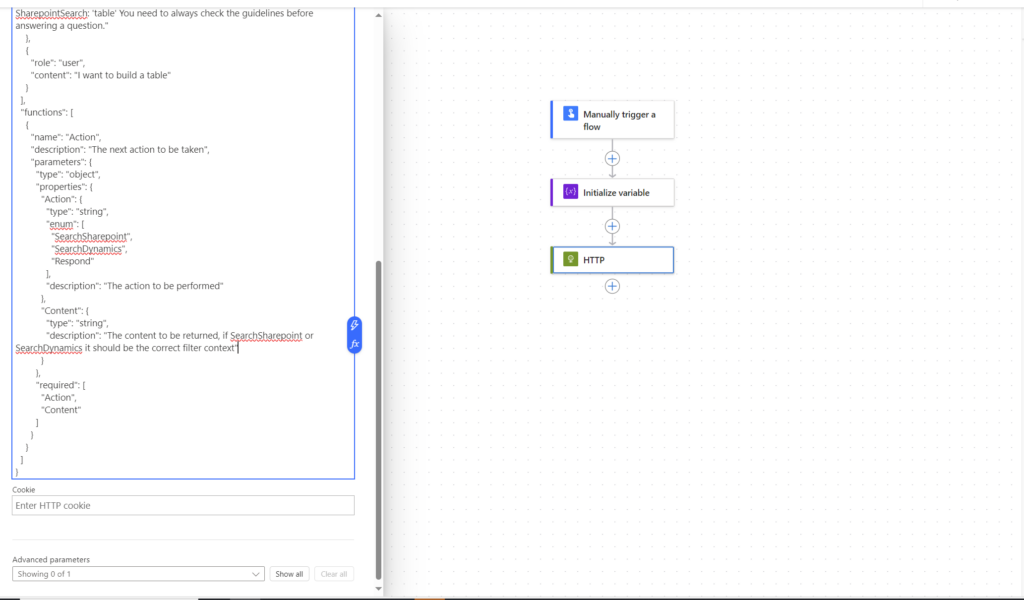
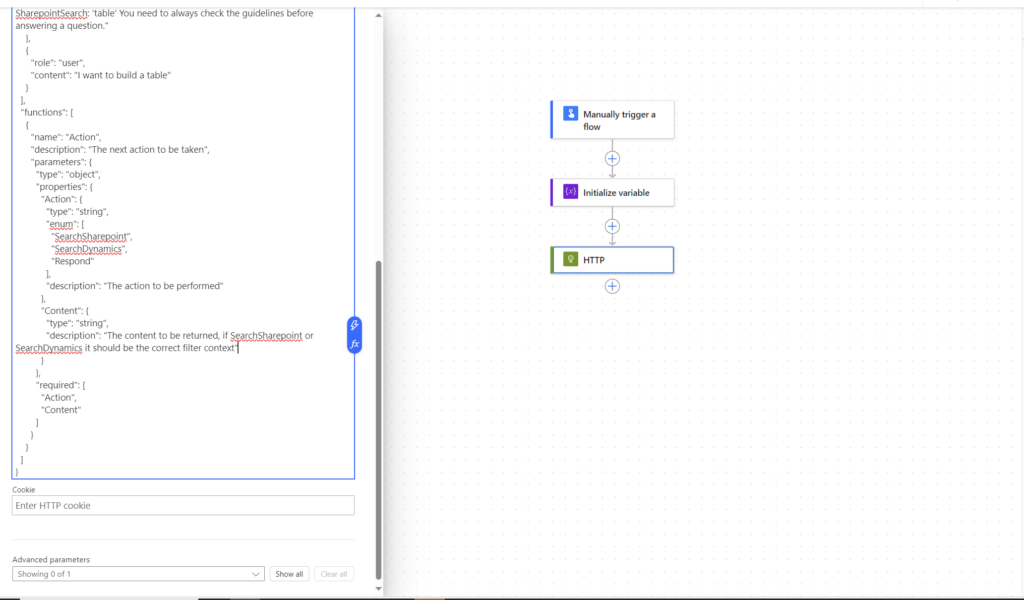
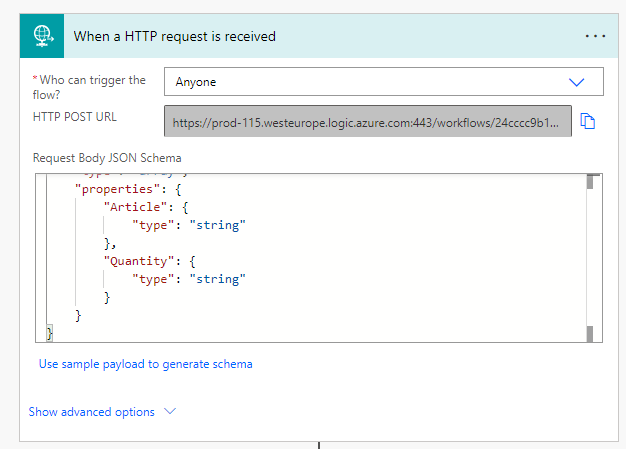
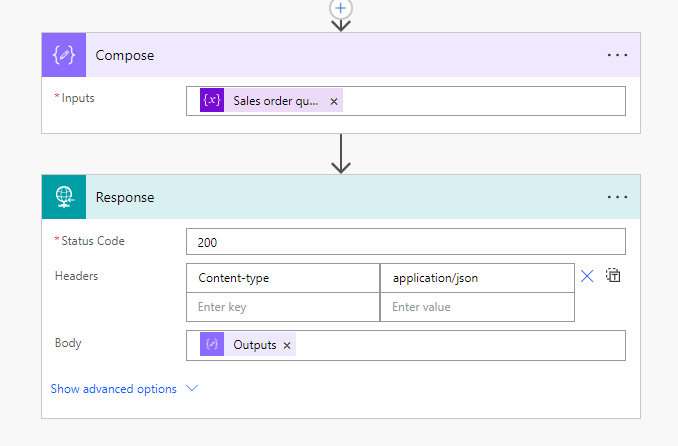
We use a Logic App named “TriggerAI” as an orchestration boundary that receives structured business events and transforms them into AI-ready instructions, keeping routing and transformation logic maintainable and observable as a workflow rather than hard-coding every integration step in services.
An easy POST of the Trigger AI
>

Data consumption from Minecraft server in Raspberry Pi
From Raspberry PI, Posting data Minecraft player statistics, inventory data, world data from Minecraft server to Azure function end point.

Azure function posting the data to Azure event hub

Microsoft fabric event stream consumes the data from event hub and processing to Fabric lakehouse destination

Dataverse uses virtual tables to get the data to power platform to utilize the business process capabilities in power platform


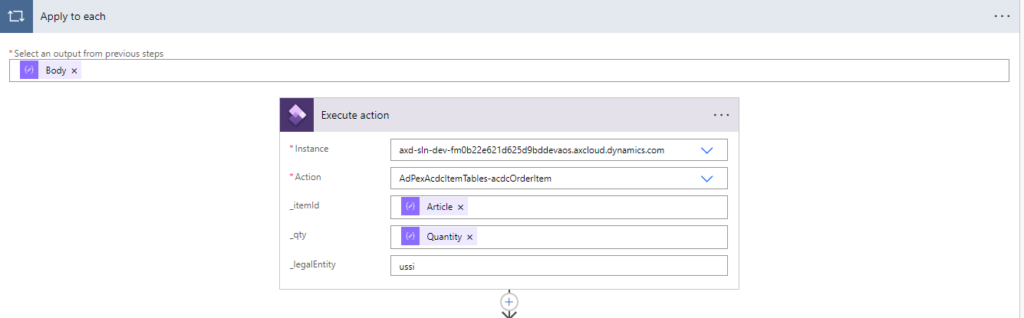
Power automate flow process the data to Dynamics 365 Finance & Operations for further processing of inventories and orders

Data injection to Minecraft server
Asure Service Bus Queue using as a gateway from cloud to On prem Raspberry Pi Minecraft server to get the processed data from Dynamics 365 Finance & Operation, Dataverse and Azure

Our very own Minecraft Workspace in FO

Why we deserve the points for Data, Ai and Analytics:
We deserve Data, AI & Analytics points because we don’t just “use AI” for the sake of using AI. we built a real data pipeline where raw gameplay and business events become structured, queryable, and useful, and where AI is grounded in that data instead of guessing.
First, we’ve made the Minecraft world measurable (not with a tape measurement ..though) . We sync inventories, world data, player statistics, and bot telemetry from the Raspberry Pi server stack into Azure, route it through Azure Functions > Event Hub, and then consume it in Microsoft Fabric (Event Stream > Lakehouse). That means we’re not stuck with scattered JSON or log files, we have a foundation that supports real analytics and reporting on quests, bot purchasing orders, and player activity, and it scales as the system grows.

Second, we turn unstructured signals into clean data. Server logs are parsed into structured event records (deaths, combat, exploration, achievements, mining, crafting, and can adapt others and so on and so on) and stored as dated artifacts, creating a time-series dataset.
This is the difference between “cool logs” and “usable data,” because it lets you analyze behavior over time, correlate activity, and build meaningful metrics.
Third, our AI is data-backed. The RAG system indexes diary entries and technical logs, chunks them with overlap, embeds them, and retrieves relevant passages with cosine similarity. When someone asks Steve a question, the response is grounded in retrieved memories sooooooo it can accurately recall specific incidents because the data exists and is referenced in-context, not just thin air pooof..
Finally, we built end-to-end traceability between enterprise and execution. We log D365 event details alongside task execution, so you can answer questions like “which order triggered this collection run?” by correlating identifiers, timestamps, quantities, and task IDs. And we keep the operational loop tight: Fabric and Dataverse can expose the data back into the Power Platform, and Power Automate can process it into FO for inventory/order handling with Service Bus acting as the gateway back down to the Raspberry Pi for cloud-to-edge injection.

Low-Code
Power Platform-ready APIs and endpoints
Our API and webhook design is built to integrate cleanly with Power Platform (Power Automate, Logic Apps). RESTful endpoints make it easy to automate workflows and build dashboards, and the solution can be extended with low-code tooling for reporting and orchestration.
We have made low code components from power platform such as Powerapps (model driven app and Canvas apps), Power automate, Custom Connector, PowerBI)
Canvas Apps
Crafting Creepers Inventory Admin App
Helps to Generate model from the captured picture of an object. It uses the API from logiqraft.futurein using custom connector.

Creation of Order from CanvasApp

Generate purchase Summary using mscrm-addons.com and handle further processing in Dataverse and model driven app.

Minecraft Gold Converter App
Using APIs to fetch the external data from Materials such as gold and Exchange rate API

Here we use Low code Canvas app with the possibility of using Pro code PCF
We created a low-code app in Microsoft Power Platform based on an original idea using accelerator components. It includes phone-position adjustment and video streaming within a canvas app, with a simple purpose: a dynamic experience that responds to the movement of your phone. See video>
Custom Connector
We have created custom connector for another Teams API

Power Automate

We have created few power automate flows to automate the process and integrate the data with external services such as Linkmobility, Oneflow, mscrm-addons etc.
Also setup an Approval flow for approving and signing the purchase requisition
Why we deserve Low-code points:
We deserve Low-Code points because we used Power Platform to make the solution easy to run, easy to change, and fast to extend.
Power Platform building blocks (real, not just a demo)
We built with Canvas apps + Model-driven apps, Power Automate, Power BI, and Custom Connectors, so users can create orders, manage data in Dataverse, and see outcomes without needing developers for every change.
Apps that solve specific jobs
We delivered practical Canvas apps: an Inventory Admin app (using a custom connector to call an external API), a Minecraft Gold Converter (using external gold + exchange-rate APIs, with optional PCF), and a mobile experience app with phone-position adjustment and video streaming (video provided).
Automation + integrations with low-code flows
We created Power Automate flows for approvals and signing, and for integrating with OneFlow, LinkMobility, and mscrm-addon which makes the process runs automatically instead of manually.

Code Connoisseur
Purpose-built code across backend, bot, and mod
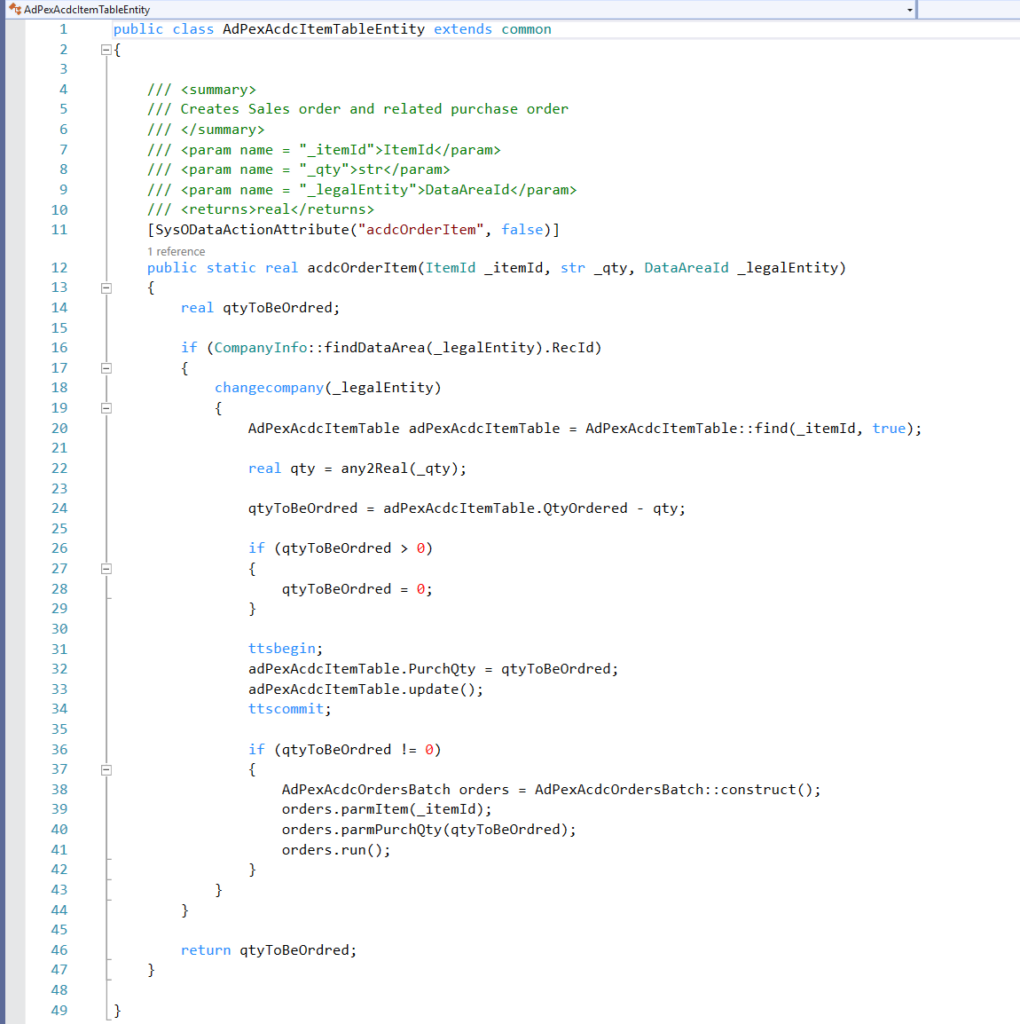
We implemented custom code across the stack: backend services (Node.js/Express), the Mineflayer bot, and a Java/Fabric mod. The codebase is modular and structured (see AGENTS.md for patterns) and includes innovations like the HTTP Bridge mod, bot self-preservation logic, and RCON integration.

The fabric inventory for converting the inventory in-game to products in Finance and Operations
Structured LLM interactions with guardrails (schemas, validation, planning)
We implemented structured LLM interaction patterns using DSPy signatures for command parsing, quest generation, and multi-task planning. To keep execution reliable, our planning pipeline enforces strict output schemas and validates every task structure before the bot runs it (e.g., required fields for collect/navigate/deposit), preventing malformed plans from becoming runtime failures.
Steve RAG: semantic memory built from scratch
We built a Retrieval Augmented Generation system that indexes diary entries and server logs into chunked segments with metadata, embeddings, and cosine similarity retrieval. The index supports reprocessing when files change (hash-based detection), and the retrieval layer feeds relevant passages into the chat prompt so Steve’s answers stay consistent with recorded events rather than invented details.
Full-stack delivery: services, storage, and edge deployment
We wrote the chat server and storage model (JSONL conversation history per date with IDs and timestamps), plus container and web delivery plumbing (Docker builds, persistent volumes, Nginx serving with CORS). We also produced deployment scripting across environments (shell scripts for edge devices and PowerShell for local workflows), turning the stack into something repeatable to run.

Why we deserve points:
This is not just a standard stack the LLM in the box but we engineered reliability
validated task outputs so the bot doesn’t break at runtime, built memory retrieval so answers stay consistent with recorded data, and delivered everything as a runnable, repeatable system (which means it has containers + scripts + edge-ready setup).
In short (how I understand it myself) : innovative code that actually ships and works, from ERP mapping to autonomous execution and real operational services.
Governance & Best Practices
Safety, privacy, monitoring, and operational robustness
We emphasize reliability and responsibility through error handling and logging across backend and bot services. Player inventories and “quest data” are handled securely, while telemetry and monitoring are streamed via Azure Event Hub. The bot is designed with responsible safety logic (self-preservation, health checks).
Monitoring:
As we are unning the Minecraft server as a prod environment we have set up a comprehensive monitoring stack with:
- Cadvisor
- Node exporter
- Prometheus
- Grafana

D365 Security Roles
Because Dynamics 365 Finance & Operations is the system of record in our solution, we also use it as a security boundary. We implemented FO security system (security roles, duties, and privileges) And trust me…working with this for the past months now, this can take some time to fully cope with..
so only the right people can view, create, approve, and dispatch the transactions that ultimately trigger bot work. That means the ability to “send work to the bot” is controlled the same way you’d control purchasing or production actions in a real enterprise process: through FO permissions, not informal access.
In practice, this keeps the automation constrained to its intended scope. The bot and edge device only operate on what FO authorizes, and the integration only processes actions that the user is permitted to perform.
Workers and admins can control the bot through the governed workflow which makes sure the bot doesn’t become a free-running actor, but an execution agent that acts on behalf of authorized users.

We deserve points for this category because;
We deserve Governance & Best Practices points because we treated this like a system that must be trusted and have spent time making sure the BOT handles it duties without breaching limits and
First, we built for operational robustness. Both the backend and the bot services include deliberate error handling and structured logging, so failures don’t turn into silent chaos. When something breaks, we can see what happened, where, and why.
That matters because our solution is event-driven and automated, if you don’t invest in observability, you don’t have automation, you have a surprise generator.
Second, we designed with privacy and data responsibility in mind. We handle player inventories and quest-related data as real user data: it’s stored and processed in a controlled way, with clear boundaries between what belongs in the game world and what belongs in the business/automation layers. The system doesn’t need broad access to everything; it only moves the minimum data required to execute and report on tasks.
Third, we made the solution monitorable by default. Telemetry and monitoring are streamed through Azure Event Hub, which gives us a consistent way to observe execution, detect anomalies, and build reporting on top of reliable signals. That monitoring isn’t only for dashboards but it’s part of governance: if you can’t measure behavior, you can’t manage risk.
Because we built FO security (roles, duties, privileges) directly into the execution pipeline, we deserve governance points for making automation permission-driven and bounded by enterprise access.
Lastly for governance and monitoring ,We deserve governance and best-practice points because we treat the Minecraft server like a real production workload, with a proper monitoring stack (cAdvisor, Node Exporter, Prometheus, Grafana) to ensure visibility, stability, and fast incident response
Our AI and autonomy bot are built with safety logic, not just wishful vibe coding thinking.
The bot includes self-preservation behavior and health checks, so it doesn’t blindly execute tasks until it dies or gets stuck. We also constrain autonomy through structure: tasks are planned and executed within defined patterns instead of free-form behavior, and the bot reports status back through the same controlled pipeline. In other words, we’ve designed autonomy that stays predictable, inspectable, and stoppable. It also is hosted locally, on its own rasberry Pi, enbaling us to have full control whats gets out and in of the hardware. The pipeline is also following best practice in terms of pipeline and dockerization practices, this makes things hard to break once its in production.
Digital transformation
The solution automates Minecraft server management to reduce manual effort and improves player/admin experience through intelligent automation (quests, bot orders, notifications). It demonstrates measurable impact through faster task execution, real-time feedback loops, and extensibility for future needs. And the needs we believe will come!
We are transforming Minecraft inventory management with finance and operations. With business process that automates into Minecraft.

Why we deserve points for Digital Transformation:
We replace manual steps with automation, give real-time feedback on progress, and make outcomes measurable (faster execution, clearer status, and easier operations). The key transformation is linking inventory and production thinking from FO to Minecraft execution, proving the same pattern can scale to real-world harvesting and remote operations. Which we have seen both with our own customer and other production companies. THIS IS THE FUTURE.
Final summary
This is an end-to-end production system that starts with trusted business demand and ends with autonomous execution, all while keeping the enterprise system safe and the outcome measurable. It combines real workflow automation, event-driven cloud integration, autonomous task execution, and a data pipeline that turns activity into operational intelligence.
Thanks for us, It was a pleasure. Until next time!
Sincerely, The Cepheo Crafing Creepers