From raw blocks to data diamonds

Our road to raw blocks to data diamonds

The Medallion Architecture

The medallion architecture is a data organization pattern that structures your data platform into three distinct layers, each representing a different level of data quality and refinement.

Think of it like refining raw ore into jewelry: you start with rough material and progressively transform it into something valuable and ready to use.

Why Use It?

It creates a clear, logical flow for data processing. Each layer has a single responsibility, making the system easier to understand, debug, and maintain. You always know where to find data at any stage of its journey.

The Three Layers

Bronze — The raw landing zone. Data arrives here exactly as it came from source systems, unchanged and unvalidated. It’s your safety net and audit trail.

Silver — The cleaned and conformed layer. Data is validated, deduplicated, and standardized here. Think of it as your “single source of truth” where business rules are applied.

Gold — The business-ready layer. Data is aggregated, enriched, and shaped for specific use cases like reports, dashboards, or machine learning models. This is what end users consume.

Lets get started

First things first, lets create our Workspaces:

  • ACDC 2026 Dev
  • ACDC 2026 Test
  • ACDC 2026 Production

Lets start with creating our a Lake house for our Bronze layer.

New Lake for the Bronze 🥉

Then we are creating a Dataflow Gen2 for retrieving data from Dataverse to our bronze lake. Creating connection to Dataverse from Fabric using Dataflow Gen2:

Selecting the tables we want to report on. In our case it is the Dream Project (basstards_dreamproject) table.

We are adding this raw data to our bronze data lake (after creating it doh).

Adding the data to the Bronze lake:

Choosing the destination to the bronze db.

Use the settings as is with automatic mapping. Works for now:

Save the settings and we are retriving the data and adding it to our bronze lake with raw data. Now the data is in our Bronze lake🤓

Lets go further on to the silver medal. Creating a new lake house for the silver layer:

Next, create a new Dataflow that is connected to our bronze lake that we are going to transform and then update the Silver lake:

Finding our bronze lake

Finding our Lakehouse

And connecting to the bronze lake:

Choosing the data we want to work with:

Now, the transformation begins:

  • Removing unwanted columns
  • Cleaning data
  • Renaming fields
  • Etc.

Removing some unwanted columns and renaming to make it more cleaner for the silver layer

Then adding the changes to the silver lake

Creating a connection for the silver lake

Then choosing the destination of the transformed table

Then using automapping. Doing the magic for us and saving the settings.

If we go to our ACDC_Silver lake we should see the data updated (after the Dataflow Gen2 has ran). For now refreshing it manually. You need to click Save and Run obviously oops..

Now the silver lake is update with the transformed columns

Now lets move on to the gold layer:

And again we need to create the lake for the gold layer

Then a new Dataflow Gen 2 for the last transformations for the gold layer

Then we need to connecto to the silver lake like we did for the “FromBronzeToSilver” dataflow

And finding the lakehouse source

Next connecting to the silver lake

Selecting the Silver lake data and clicking Create:

Now we retrieve the data from the Silver table

Now we have the same data from the silver lake

Now lets som aggregated data or business rule in the dataset that can be used in dashboards and reports or other subscribing systems.

For this example lets just create a column that shows the difference between the budget and estimated cost. And for the fun of it lets see what AI Prompt can help us with that:

We need to connect to FabricAI it looks like:

ooops.. that didnt work…

Lets do it in another way

Now we got a new column with the variance between the budget and the estimated cost. This contains null values and we can clean this up by replacing the null values with 0. As seen in the next steps.

By replacing null values with zeros it looks a bit cleaner.

After replacing:

And now we want to move this to the gold layer.

Like this:

Now adding the data to the gold lake destination

Using automatic settings to the destination again and then saving the settings:

Next we need to Save and Run the Dataflow Gen2, as we learned from the FromBronzeToSilver 🤓

After the Dataflow is Saved and Run, we should see the data in the Gold Lake. And look at that, it actually worked. Wohoo. Now we have our Gold medallion ready or the diamond data we want 💎

Then creating a new semantic model for use in Power BI

Now, we have a semantic model:

Lets try to make a report out of it

And then we use the semantic model we just created

And then we select the semtantic model based on our gold lake:

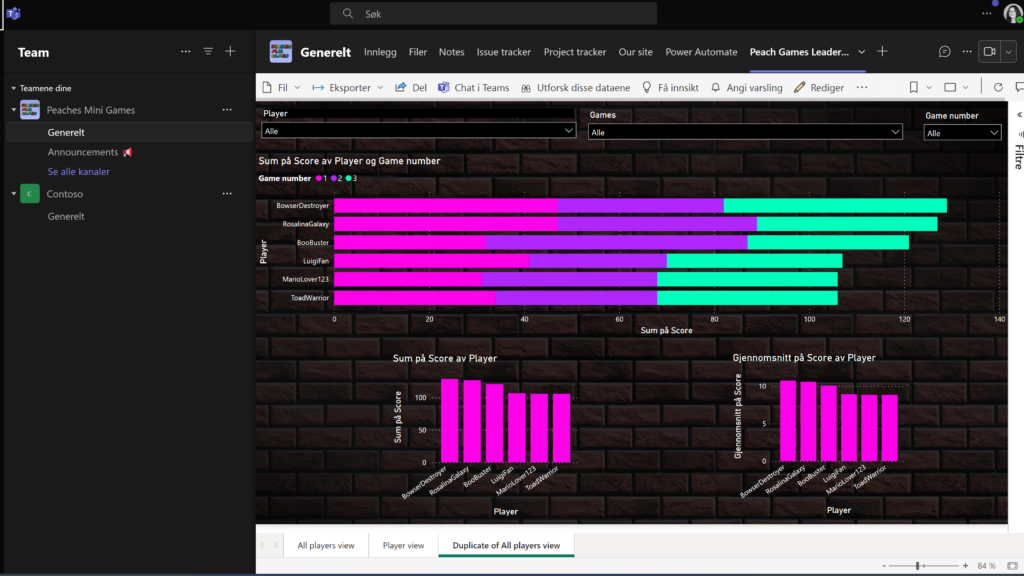
Aaaaaaaaand 🥁 There we have a report📈

And were out of time this year…

I hope this gave a deep insight of how we have created a very simple data platform based on the medallion structure with example of each steps from start to finish.

That was the end of this post. I hope this warms the diamond hearth (💎) of Catherine Wilhelmsen and I hope you give as plenty of points in this category. Best regards Fredrik Engseth🫶

Processing geodata in Fabric

Finding resources in nature is not a simple task, and requires enormous amounts of data to locate all sources of all types. Luckily, Norway has a source for free and open source geodata located at “Geonorge” that are available to everyone. There are many different suppliers of this kind of data, but as the core datasource for our solution, we went with the “N50 Kartdata” supplied by “Kartverket”.

Using this as a source, we decided to use Lakehouse in Fabric as a way of uploading the XML-file with over 430.000 lines of data and then, by using a pipeline and dataflow in fabric, converted it into an table within av SQL analytics endpoint. Additional CSV files with descriptive support data were also uploaded and merged using the dataflow to make sure alle data were located at the same place and making it easier to search for the data needed..

Within the Fabric workspace we also created an AI-driven data agent, specialized on the imported dataset and available to use as an supportive agent within other AI-agents like those created using Copilot studio. As we were planning in using this data within the Power Platform ecosystem, we had to add some very detailed instructions to this agent to make sure the data output is available to all resources that need to access it. This makes it generally very effective at finding necessary data in the table, making it an very effective way of searching for the resources needed at any time.

DATA MINE AND DASH IT OUT WITH FEATURE BOMBING!

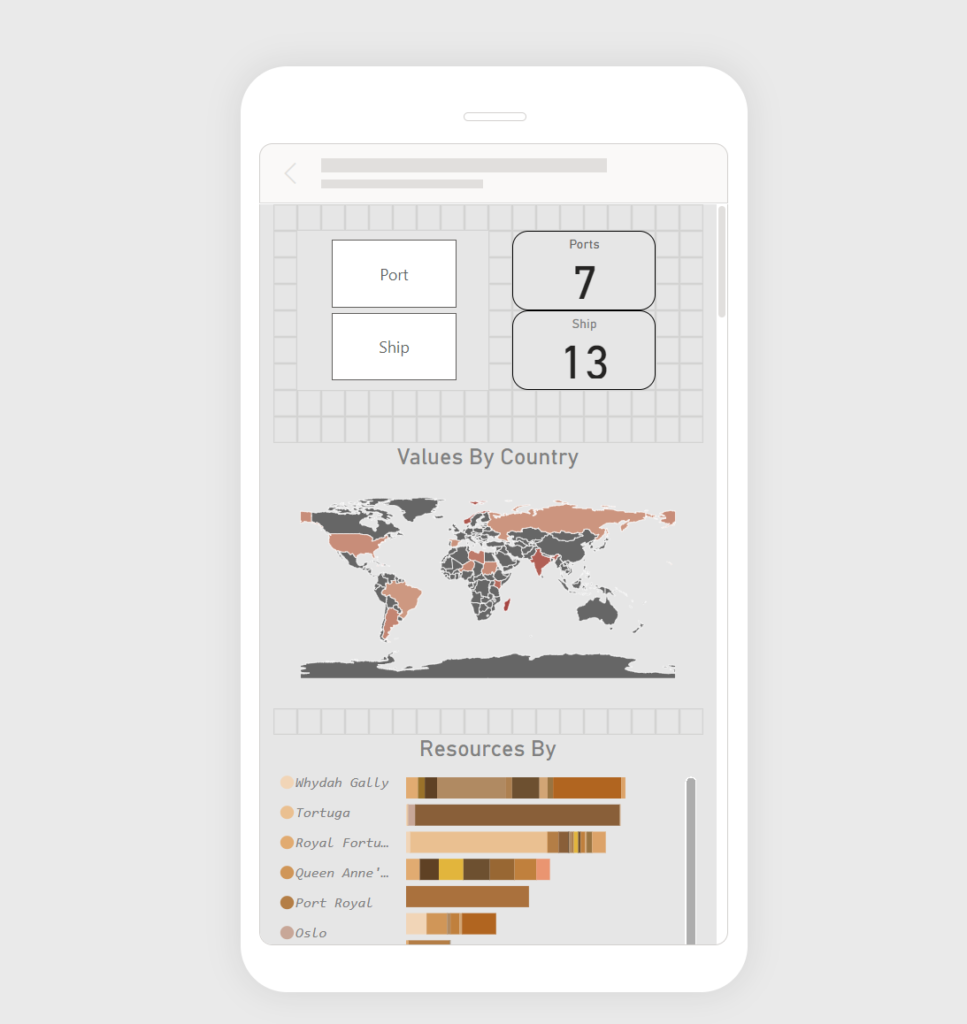
We have, lists, graphs, a lot of stats and a copilot that comments based on the data we store in dataverse. It looks amazing. And it gives a lot of value to both administrators and users.

And we crammed it all into one big ol dashboard!

Datamining

Back to the data mining. We are soon putting out QR codes (“IOT devices”), that all of you will be able to use, to try and win a really nice creeper light!

Right now, we are collecting data internally, testing the system. But in an hour, everybody will give us data to use. We will collect randomly spawned items, which time, how many of them, the rarity of the item, and aswell if something fails, we will log it. We will also be saving the geo location data to show where the best items are showing up.

We will also be asking for phone numbers, to send sms to those who wants to know if they are winning or losing.

The data will be used for insights, so we can look at who is winning, give people cool insights powered by copilot and our cool dashboard.

acdc-badge-sniper / SKILL.md : An AI agent skill for Hackathon Strategy

We built an AI agent skill that helps ACDC teams identify their best badge targets and create action plans. It works with Claude Code, VS Code Copilot, and ChatGPT.

What it does

  • Fetches live ACDC data (badges, teams, claims, rankings)
  • Matches your project to optimal badge targets
  • Creates time-boxed checklists with evidence requirements
  • Generates 30-60 second judge pitch scripts

    Installation and usage

    Claude Code
    Drop the `acdc-badge-sniper` folder into your skills directory and invoke it.

    VS Code Copilot
    Copy `copilot-instructions.md` to `.github/copilot-instructions.md` in your project, or paste it directly into Copilot Chat.

    ChatGPT / OpenAI
    Use openai-system-prompt.md as your system prompt or Custom GPT instructions.

    Data sources
    The skill uses live ACDC data and updates regularly to reflect new badges and team standings!

    Quick start

    Tell your AI assistant:
    1. Your team name
    2. What you’ve built (2-6 bullets)
    3. Your stack (M365, Azure, Power Platform, etc.)
    4. Time remaining
    5. Constraints (no admin, no external APIs, shorthanded, etc.)

    It will return your top 5 badge targets with checklists, evidence requirements, and judge pitches.

    Get the skill
    https://github.com/Puzzlepart/ACDC-26/blob/main/skills/acdc-badge-sniper/SKILL.md

Screenshots!

META: creating the acdc-badge-sniper to snipe badges

By sharing this skill we aim for the following badges:

  • Sharing is Caring We made the badge-sniper available for other teams to use; it’s literally a shared tool.
  • Community Champion We didn’t just publish it; we’ll help teams set it up and use it, which is direct community support.
  • Hipster Agent skills + Claude Code / Copilot / ChatGPT workflows are bleeding‑edge dev tooling
  • Dataminer The skill fetches live ACDC blob data and converts raw JSON into ranked, actionable strategy.
  • Power User Love Tiny YAML + markdown config drives complex AI output: low‑code definition with pro‑code impact.
  • Plug N’ Play It plugs into VS Code Copilot via copilot-instructions.md, meeting “plugin/app” intent.

Power User Love

A low-code Power Apps canvas app paired with a pro-code PCF component. The canvas app manages configuration and UX, while the PCF pulls real-world gold prices from a third-party API and converts NOK into Minecraft gold nuggets, bars, and blocks.

Parameters flow cleanly between low code and pro code giving them a strong relation between the two.

In this solution, we also use external APIs #Dataminer

The API we use comes from an external API which gathers external data from exchange rate to add real life value to the resources we gather with our BOT;

Exchange rate : https://api.exchangerate.host/latest?base=USD&symbols=NOK

Gold Price, we used a metal API: https://api.metals.live/v1/spot/gold

____

Cepheo Crafting Creepers

Minecraft Dataflow – Recipe Import 

This document describes the dataflow used to import external Minecraft items into the application and map them to the Recipe table, enhancing the value of existing data that we have in the model driven app. The recipes are then used by our customer/user. 

1. Dataflow Creation 

A new dataflow is created using a blank query. The query connects to a public Minecraft API to retrieve item data in JSON format. 

2. Minecraft API Query 

The blank query is named “Get Items” and contains logic that calls the Minecraft API, converts the response into a table, and selects the required item columns. 

3. Dataflow Connection 

The connection is configured to allow the dataflow to access the Minecraft Items API. 

4. Execute the query 

Once the connection is established, the query is executed automatically to retrieve data from the Minecraft API. 

5. Table Mapping 

The output of the query is mapped to the desired Dataverse table (la_recipe). Each column from the API response is mapped to its corresponding column in the Recipe table. 

6. Dataflow Publish 

After mapping, the dataflow is published so it can be used for importing data. 

7. Running the Dataflow 

The dataflow can be scheduled or run manually. The first execution occurs automatically if it is set up as manual. The progress and status can be monitored. 

8. Check Results 

After the dataflow has run, the imported data can be verified in the model-driven app to confirm that Minecraft items are available in the Recipe table. 

Using Eleven Labs to Enrich the Data

In the world of artificial intelligence, there are many ways to collect, analyze, and enrich data to create more personalized and meaningful experiences. One of the most innovative—and perhaps magical—methods of enriching data is through the power of voice. Eleven Labs, an AI company known for its advanced voice generation and natural language processing (NLP) technology, has found a way to turn data into something much more than just numbers and text: it gives data a voice.

In this blog post, we’ll explore how Eleven Labs—an advanced AI-driven platform known for its voice generation technology and natural language processing—can be used to enrich the data. Traditionally, sorting systems rely on questionnaires or predefined attributes to make these decisions. However, with the power of Eleven Labs, we transformed this process into something far more engaging and dynamic.

Eleven Labs helped us to enrich the experience by receiving and analyzing data that we send and enrich it by giving us back voice. This technology helped us make the sorting process more engaging and enjoyable. For example, using realistic voiceovers to narrate the sorting ceremony or create unique dialogues for each person being sorted.

When we give data a voice, we aren’t just providing users with information; we’re engaging them in a conversation, offering insights with nuance and tone, and creating an experience that feels more human. Eleven Labs leverages voice synthesis and speech recognition technology to bring data to life.

The Art of Wizardry: Harnessing Magical APIs to Claim the ‘Thieving Bastards’ Badge AND Dataminer

In the spirit of Hogwarts, where collaboration and resourcefulness reign supreme, we embarked on a quest to claim the coveted ‘Thieving Bastards’ badge. This badge celebrates the clever use of third-party solutions to enhance our magical creations. Just as the greatest wizards rely on ancient spells and enchanted artifacts, we too must harness the power of existing tools and APIs to weave our digital enchantments.

To bring our Hogwarts-inspired intranet to life, I delved into the vast realm of third-party APIs, selecting the most potent tools to aid students in their daily adventures.

  • The Entur API: The Floo Network of Transportation
    Much like the Floo Network enables swift travel across the wizarding world, the Entur API provides real-time transportation data. By integrating this powerful API, students can easily plan their journeys to Diagon Alley with minimal hassle.
  • Weather API: The Divination Crystal Ball
    Professor Trelawney may have her crystal ball, but we prefer data-driven forecasting. With the weather API, students can prepare for their daily adventures, be it sunny strolls around the castle grounds or braving the rain on their way to Herbology class.
  • Harry Potter Database: The Restricted Section of Knowledge
    No Hogwarts intranet would be complete without a comprehensive spellbook. By utilizing a Harry Potter-themed database, students can look up spells, potion recipes, and magical creatures with ease, ensuring they are always equipped for any magical challenge.
  • OneFlow API
    Handling magical agreements and contracts has never been easier with the Oneflow API. Much like the enchanted scrolls used at Hogwarts, this API allows for the seamless management of digital contracts, ensuring that all agreements—from Hogsmeade permission slips to Quidditch team sign-ups—are securely handled and stored.
  • Mining for Gold: Claiming the ‘Dataminer’ Badge Beyond integrating third-party solutions, we have also used these APIs to extract valuable insights and present them in an engaging way. By combining transportation schedules, weather forecasts, and magical data, our intranet transforms raw information into actionable intelligence. Students can now see the best routes to Diagon Alley considering the weather conditions or discover spell recommendations based on current atmospheric factors. This fusion of external data with our own enriches the user experience and adds real business value to our solution.

Lets Get our Hands on Fabric Lakehouse (Try and Cry)

We all know that Power BI is a beautiful tool for dashboarding, but it’s always a tricky question of where to get the data from. It needs to be fast, and most importantly, it should be correct.

The traditional way, from what I gather, is using the CDS connector. Here, we get easily visible and editable tables.

Another way, which will also give us Direct Query connection mode, is a connector directly to Dataverse.

But what about Fabric? If we need to create many reports on the same data from the CRM, then it would be perfect to have our data in OneLake, create DataFlow Gen 2 to transform it, and have a shared data model that will be utilized by different reports, dashboards, apps, etc.

For that, there are several ways to do it. The most tempting one is just using a Fabric Premium subscription to create a Lakehouse and using Azure Synapse Link to sync the tables from PowerApps to Fabric.

Unfortunately, when you have a Lab environment, it is not possible to create the OneLake on a Fabric workspace for now. Hopefully, this will be fixed in the future.

Another way is to create a resource group and create Azure storage account in the Azure Portal. If the user has the correct roles and access, then we should, in theory, be able to load tables from Power Apps to this storage and load them into a Storage Blob container. This approach got us much further, and we received a beautiful message on Power Apps.

However, when we try to create a link, the tables get queued but never appear in the Blob Storage.


Another way that we actively tried, inspired by our great colleagues here at Itera Power Potters and It’s EVIDIosa, not Leviosaaaa. It’s quite nicely described by the first one in their blog post here: Fabric And data. | Arctic Cloud Developer Challenge Submissions.

However, for us, this approach did not work as our work tenant was registered in a different region from the Azure workspace where we are developing our CRM system.

Conclusion: If you are thinking of using Fabric, ensure your solution and Fabric are in the same region and don’t use the lab user.

In the end, to have a beautiful, real-time updating report, we will go for the second approach described here: connecting directly to Dataverse and using Direct Query to have a real-time update of the changes.

We also used SharePoint to get images to visualize in the report, and Excel files (xlsx) for some test data.

P.S. Nice article that we got really inspired from 5 ways to get your Dataverse Data into Microsoft Fabric / OneLake – DEV Community

OneFlow Sponsor Badge – A Wizard’s Journey

🪄 Claiming the OneFlow Sponsor Badge – A Wizard’s Journey 🏅✨

Here’s a glimpse into how we 🧙‍♂️, have used OneFlow’s tools to conjure something truly extraordinary.


OneFlow – The Enchanted Contract Master 📜✨

Welcome to the modern age of contract signing, where OneFlow transforms dull parchment into living, collaborative scrolls that can be signed seamlessly on any device. 🖋️ Whether you’re sealing a pact between Death Eaters or approving an Order of Doom, OneFlow ensures your contracts are as smooth as unicorn hair. 🦄✨


How We Cast the Spell

With OneFlow’s API, we created a spellbinding process to manage contracts for the sinister “Order of Doom.” Here’s how we conjured this masterpiece:

1. The Birth of an Order of Doom 💀🖋️

  • When a Power Page user (a dark wizard in disguise) creates a new Order of Doom in Dataverse, the spell is cast!
  • A cloud flow retrieves:
    • The wizard’s credentials (so we know who summoned the order 🧙).
    • The chilling details of their request.

2. Summoning the Contract 🔮📄

  • The cloud flow calls forth OneFlow’s API, using a mystical template pre-crafted in the OneFlow portal.
  • A contract is conjured between the Dark Ledger Party (us) and the requester (them).
  • The enchanted scroll is sent via owl 🦉—or email (muggles might not appreciate owls)—for e-signature.

3. Signing and Sealing the Pact ✍️⚡

  • A child flow monitors the pact’s status like an Auror watching for dark magic.
  • Once both parties have signed the contract, the spell completes:
    • An owl-email confirmation is sent to the requester. ✉️🦉
    • The signed scroll is attached to the timeline of the Order of Doom in Dataverse, ensuring it’s securely stored in the Ministry’s records (or our shadowy vaults).

Why This Wizardry Works

  • 🧙‍♂️ Effortless Automation: The contract lifecycle is handled faster than a Hippogriff in flight.
  • 🔮 Crystal-Clear Transparency: Both parties are guided through the signing process as if by the Marauder’s Map.
  • 📜 Centralized Magic: Every contract is neatly stored, ready for future spells (or audits).
  • Spellbinding Innovation: By fusing Power Platform and OneFlow API, we’ve created a process worthy of Dumbledore himself.