Some Technology Just Won’t Fade Away

The SMS channel may feel old or outdated, but more than 25 years after its peak, short messages remain one of the strongest and most trusted communication channels available. It is the simplicity of SMS that keeps it relevant—long after its heyday, when people everywhere reached for their phones to stay in touch, especially on New Year’s Eve. Today, despite social media and chat apps, SMS still stands out as authenticated, direct, and personal. It is easy to opt in and opt out, clearly governed by GDPR, and delivers true one-to-one messaging that genuinely matters to the recipient. When combined with trusted providers like LINK Mobility, SMS continues to cut through the noise and ensure messages are not just delivered, but read.

Link Mobility Sponsor Badge

Make it easy with Link Mobility!

As one of the event sponsors, Link Mobility gave us access to their API and connecting to it was surprisingly straightforward. Within a short time, we had the integration up and running and could focus on solving the actual problem instead of wrestling with technical complexity.

We used the Link Mobility API together with Power Automate to create an automated SMS flow. Our solution is built on Dynamics 365 Customer Service, and every time a new case is created, the customer is immediately notified.

The flow we built is very simple

Link Mobility Post

Chameleon – responsive design

Responsive design is a key reason why platforms like Power Pages work so well for modern customer portals. Even on mobile — the smallest screen and often the most demanding context — content, visuals, and interactions adapt seamlessly, allowing users to stay productive on the go, whether between meetings or while commuting.

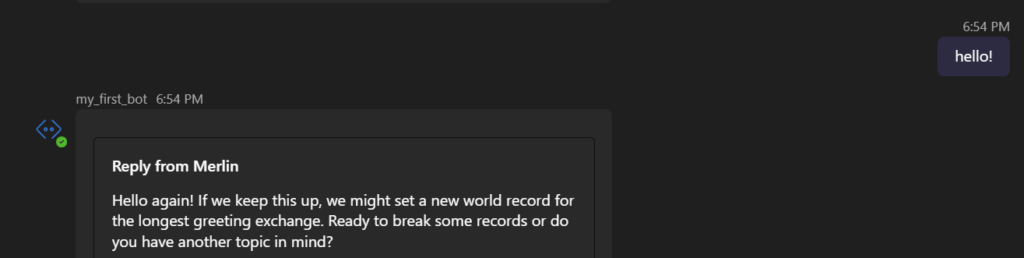
Combined with integrated chat, where users can start with a chatbot and smoothly transition to a human agent when needed, this creates a user-friendly experience that adds real value. A responsive, mobile-first approach ensures accessibility, continuity, and engagement across every touchpoint.

Chat – Bot is transferring chat to human agent.

I don’t know how to SQL as well as my AI does

I hate creating SQL queries for each new question i want answers to, but my AI don’t (mostly because AI don’t have feelings).

With Fabric data agent i am able to search in my data through conversations with the agent. The queries are based on the specific question you ask, no repetitive template query. it understands what fields are available, and acts accordingly.

Shiny Beatiful Views

Don`t you just love when you can do so much with sp little?
When using standard Power App Grids in Power Platform or Dynamics 365, you can get the most beatifuls views for your data.
This is a great look and feel in your model driven App. And it also Adapt on small and big screens 🙂

Anyone can send a building application

Anyone can send a building application even anonymous users.

After sending in the application, we will check if it’s an existing Contact. Then create a Case with Contact, or else check if existing mail or create a new Contact based on the information given. Will add unique phone and email later on.

Did anyone say “I want 50 agents in 2 min”?

Sometimes i think to myself: “Cant just code understand what i want to make happen”. In that i mean that i want å folder that reflects the truth i want in my entire infrastructure. One folder that just have sub folders for services i want to be hosted in azure, and another folder containing my JSON definitions of the agents, AI models, and Foundry workflows.

Then i realized i know Terraform, Powershell, and how to use a computer. So i made exactly that.

Lets say i now want a Container app running some spesific API i made in Python. the only thing i need to now do is to make a new sub folder with a requirements, Docker, and the python. The rest is handled by Terraform (including Docker push). but if you need custom configuration on your container app there is a easy to manage YAML for that.

If i want to deploy a AI model that i don’t already have i just add a JSON in the models folder, and Terraform handles the rest.

the same goes for the agent constructions (including connections to fabric agents).

Now the crazyest part of this is that if i want to make a Microsoft foundry workflow and host a API in a container app i have a script that automatically figures out how to configure the container app to host the new work flow as a API.

The result is that through just creating the YAML definition of a Microsoft foundry workflow it can be provided to me as a API through just doing terraform apply –auto-approve

Scalable AI madness just through config files.